
Sketchup Plugins
Csr Distribute objects tools
The long missing tool for align and distribute objects in sketchup.
This set of tools includes the following:
This set of tools includes the following:

Distribute objects
Distribute objects
-
Distribute along vector

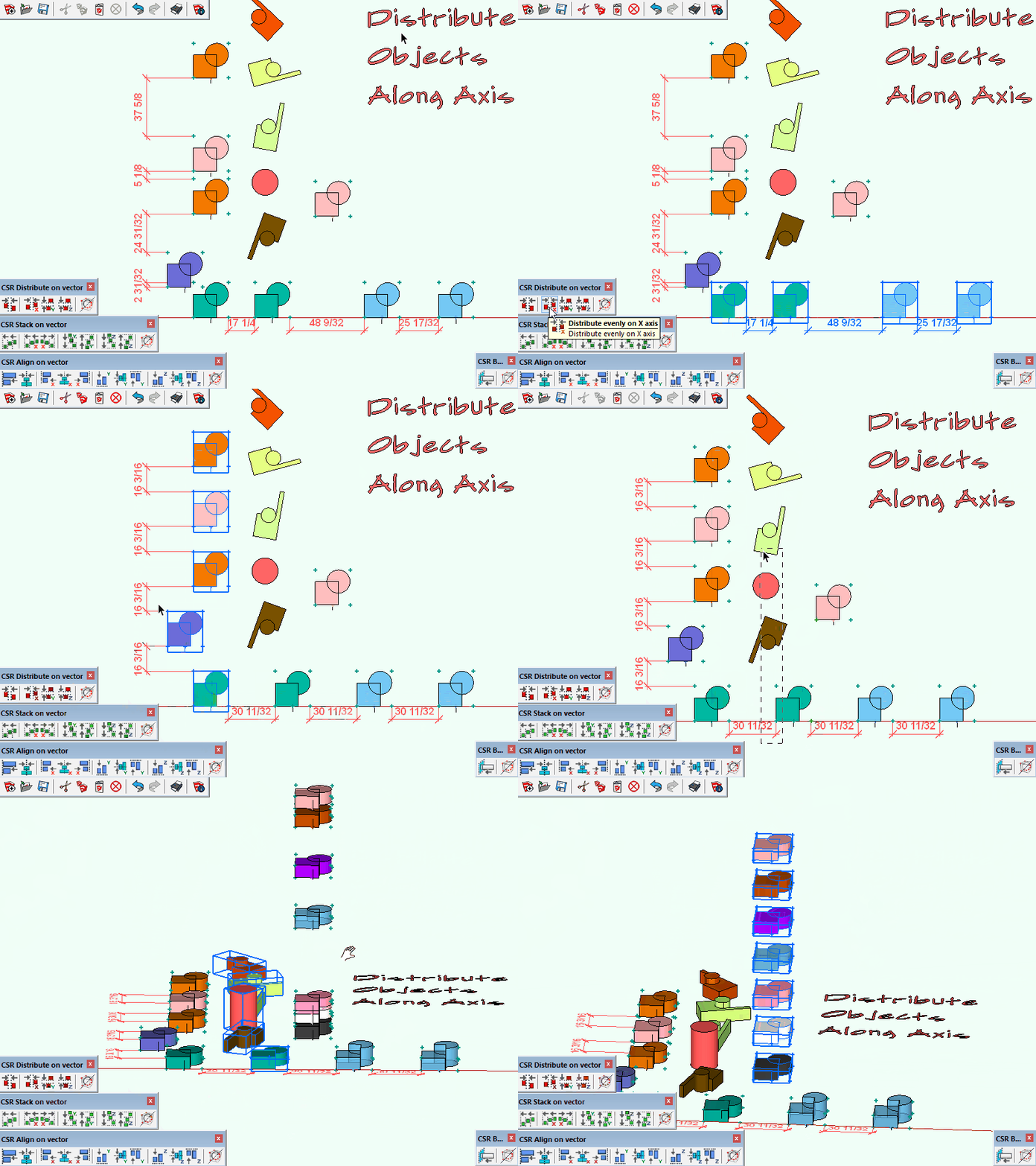
Distribute by axis sample
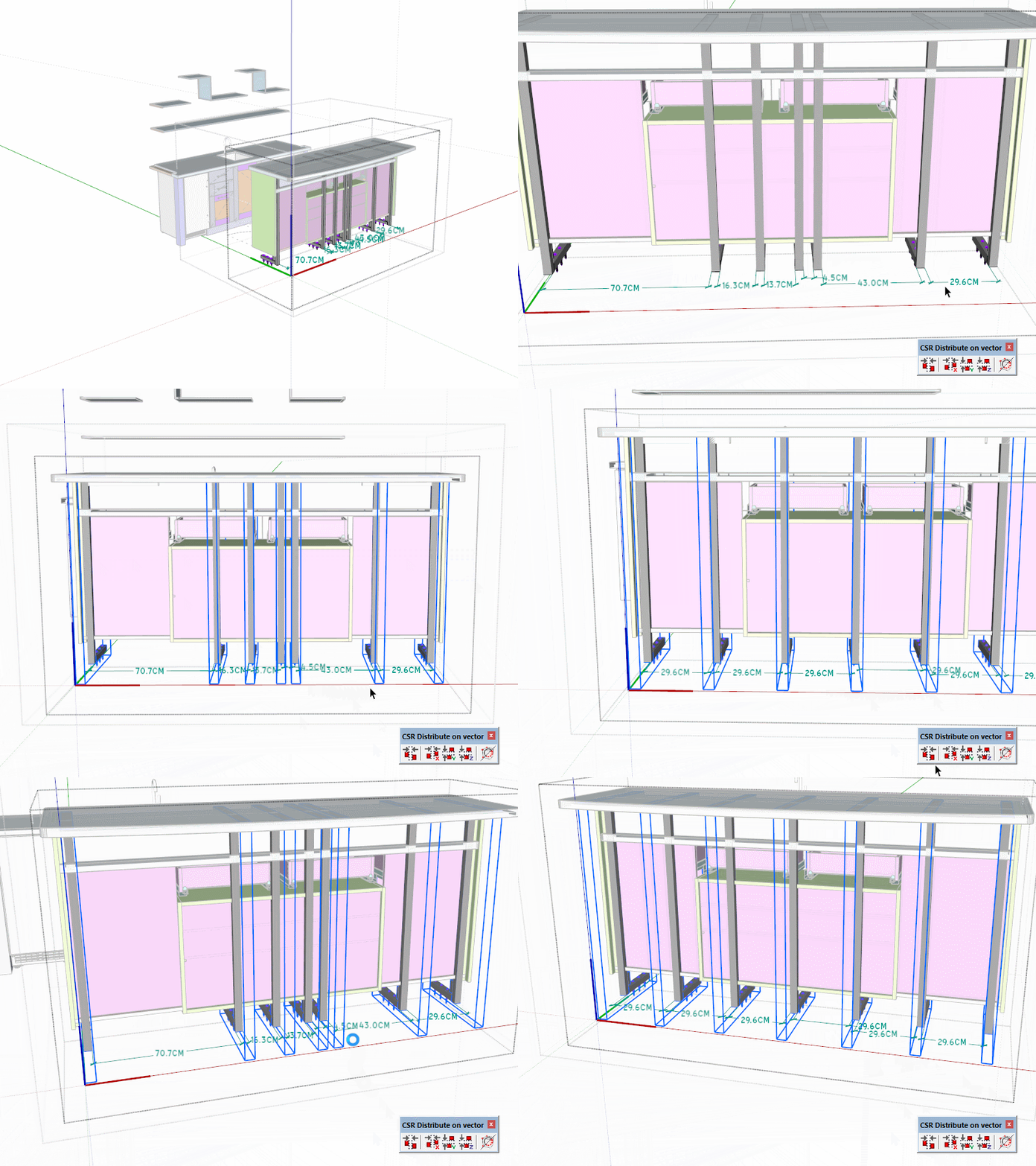
Distribute sample

Distribute sample
Distribute Global
Distribute Global
Align objects
Align objects
-
Align along vector

Align on vector

Align tools
Center objects
Center objects
-
Center along vector

Center on vector sample

Center sample

Center on vector
Stack objects
Stack objects
-
Stack along vector

Stack on vector
TTIP: You can type the separation required between objects before clicking the edge vector reference for the “Stack along vector tool”.
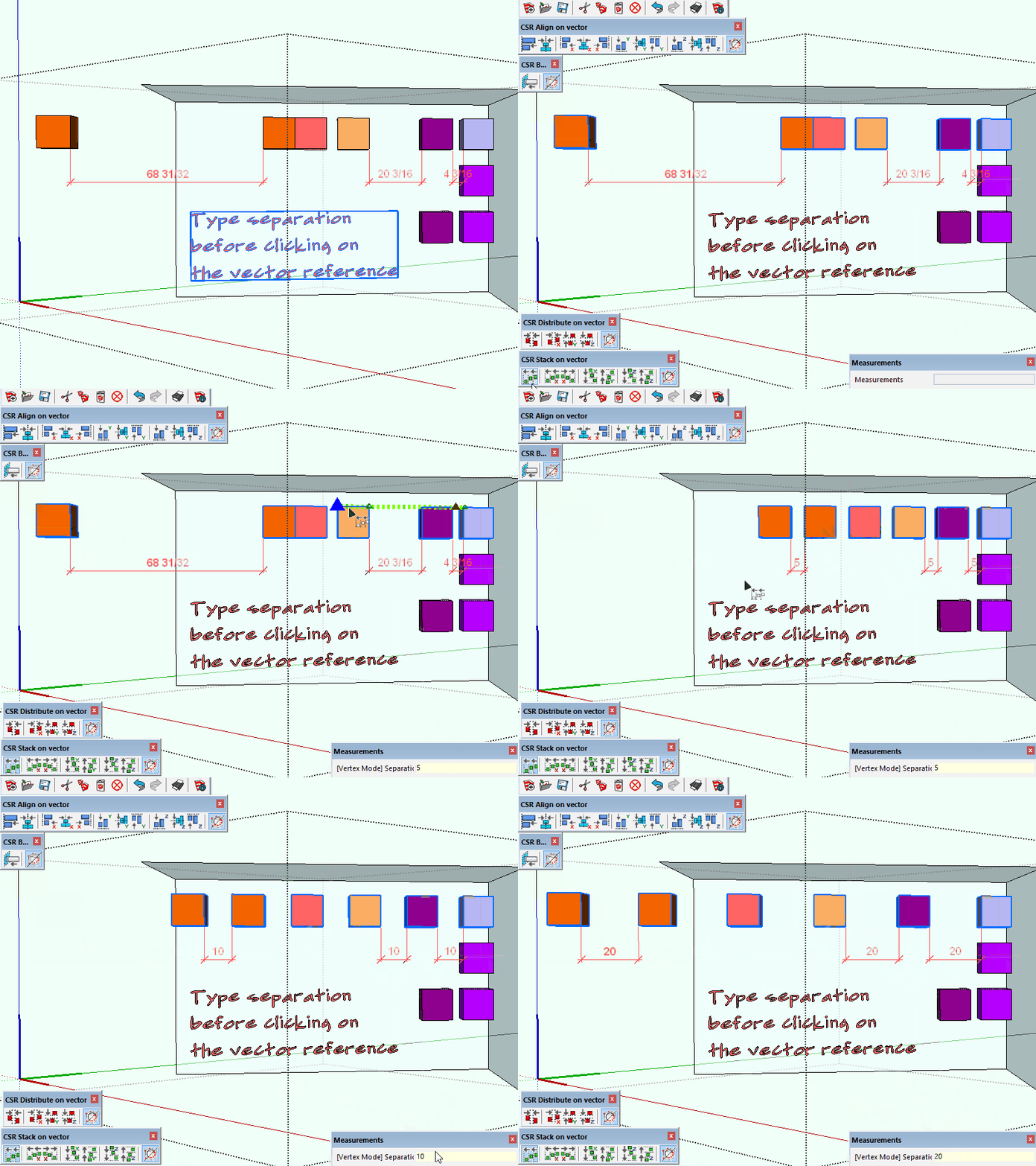
Stack on vector

Stack along axis
TTIP: Press TAB to toggle between “distribute”/”align”/”center”/”stack” tools that way you can assign a single shortcut and then access all CSR distribute toos from there (I choosed ALT+C for the “center” tool)